
Role
Lead Designer
Platform
Enterprise SaaS
Company
Console Connect
Year
2026
About the Product
Quote Builder is Console Connects' in-house quoting tool used by Pre-Sales teams and Vendor Managers to prepare complex connectivity quotes for large enterprise customers. It brings together customer requirements, service locations, on-net and off-net connectivity options, vendor information and complex pricing to help teams build accurate, tailored quotes.

The Challenge
Internal teams relied on two separate quote-building systems, Quick Quote for off-net and Seeker for on-net products. The two systems had evolved independently. They looked different, behaved differently and offered different functionality, while both carried their own usability issues.
For users, this meant knowing which tool was right for the job and remembering two different ways of working, in turn adding unnecessary cognitive load, a higher learning curve and greater potential for confusion and errors.
For the business, maintaining separate systems also created duplication and made it harder to deliver a consistent, scalable quoting experience.

Starting again, not stitching together
The initial brief was to bring two quoting tools together. But simply combining their existing functionality would also bring across their existing problems.
We treated this as an opportunity to start from the users and rethink the quoting experience from the ground up.
Research
Understanding how quoting really works
We started by speaking directly with Pre-Sales and Vendor Managers to understand how they created quotes, found pricing, worked with vendors and moved between tools. Their workflows revealed a bigger challenge than two different interfaces: quoting spanned search, pricing, vendor responses and reporting.
Users needed one seamless end-to-end workflow that kept the functionality they relied on while saving them time completing a quote.

Requirements
Turning workflows into product requirements
I combined what I learned from users with the existing business and technical requirements. The requirements started to form several core areas:

Search & quoting
One place to search across On-Net, Off-Net and End-to-End solutions.

Quote requests & responses
Support the QRR workflow, from creating requests through to managing vendor responses and updates.

Data & administration
Improve management of quote history, users, reference data and administrative tasks.

Automation & APIs
Create a foundation for automating pricing and vendor interactions over time.
This became an important principle: We weren't recreating the old tools inside a new interface.
Design
Designing one experience around complex work

With the workflows and requirements understood, I began exploring how they could come together within a single experience. These were experienced users dealing with complex products, pricing rules and customer requirements. Simplifying the product couldn't mean removing the functionality they relied on. Instead, I focused on reducing the effort surrounding that complexity.
The new Quote Builder established a consistent approach to searching, configuring and building quotes across different scenarios. Creating consistency through; One navigation model · Consistent terminology · Shared interaction patterns · Clearer hierarchy · Predictable workflows
Usability testing
Putting it in front of real users
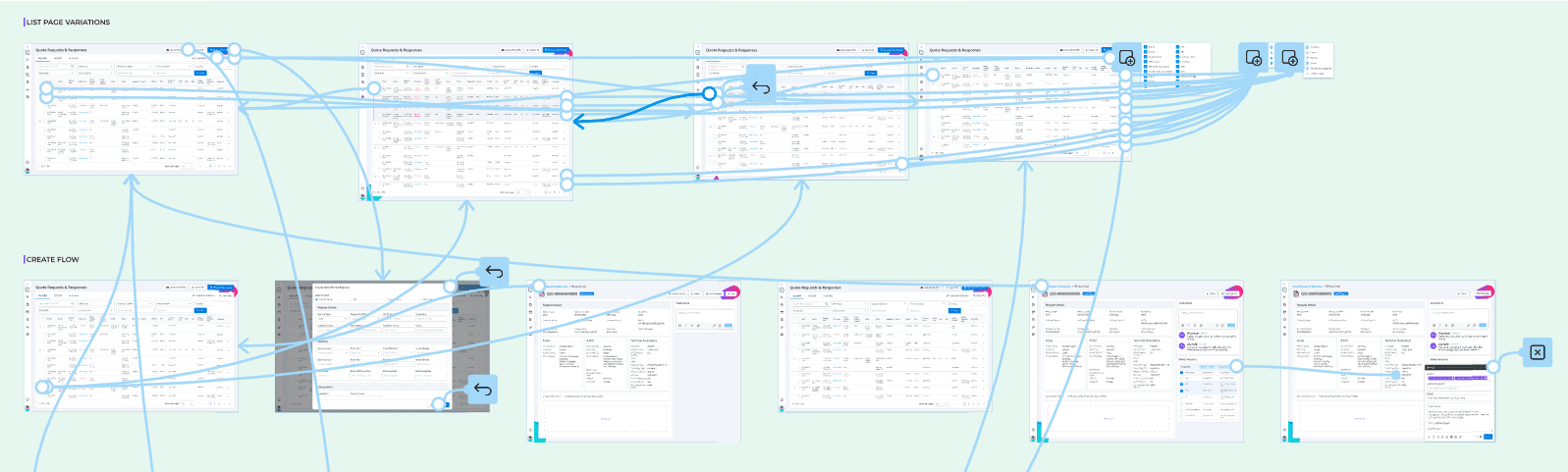
I created a prototype and asked participants to complete realistic quoting tasks rather than simply walking them through screens. This allowed me to observe where users:
understood the workflow immediately
hesitated or became uncertain
expected something different to happen
struggled with terminology
couldn't find important information
needed functionality we hadn't considered
Testing helped me move beyond what users said they needed and observe how they actually interacted with the experience. It also allowed me to challenge assumptions inherited from the previous systems before those assumptions became embedded in the new product.

Test. Learn. Refine.
The findings were brought back into the design and used to refine the experience. Some resulted in small interaction changes. Others made us rethink parts of the workflow, hierarchy or how information was presented.
The process became: Research → Requirements → Design → Prototype → Test → Learn → Iterate
Instead of discovering problems after development, we could identify and address them while the experience was still flexible.
The outcome
The project moved quoting away from two independently evolved systems towards one experience designed around the people doing the work. But the biggest shift was that it was moving from inherited workflows and assumptions to a process grounded in research, evidence and iteration.


